|
|
I wrote the content on these pages to be used by friends who needed some help fixing up their computer. I seem to be doing this a lot lately and thought this would be a good solution to send people to, especially if I can't be around to walk you through the process. Enjoy!
Removing Spyware · Disk Inconsistancies · Cleaning Your Drive · Performance Tuning
Antivirus Protection · Critical File Defragmenting · File System Defragmenting
Critical File Defragmenting
-
Download PageDefrag from the SysInternals.com website. Save the file to a location where it will not be disturbed (such as C:\WINDOWS). Your desktop or My Documents are not good locations as you will not want to move this application once you've set it up.
Be sure to extract both pagedfrg Application and Help files from the download archive to whatever safe location you've decided.
-
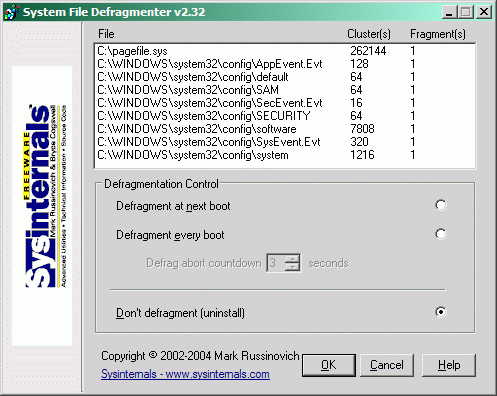
Start the pagedfrg application to see this window:
-
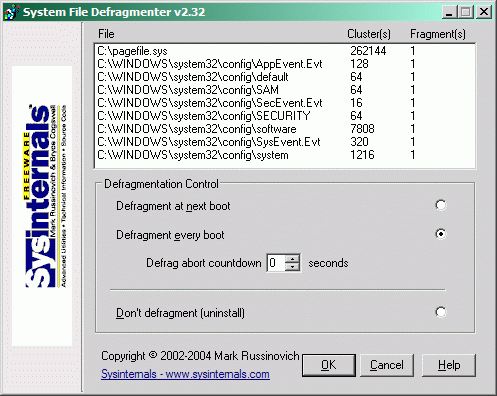
Select the second defragmentation option and lower the abort countdown to 0 seconds for immediate/delay-free defragmentation at boot-up:
-
When your computer restarts, and on every boot-up, it will optimize and defragment system-critical files (registry hives and your pagefile). The first time it does this, it will take a very long time. Anywhere from 10 minutes to an hour, usually. Subsequent times will only take a few moments and will hardly be noticable.
Next Page >>
|
