|
|
I wrote the content on these pages to be used by friends who needed some help fixing up their computer. I seem to be doing this a lot lately and thought this would be a good solution to send people to, especially if I can't be around to walk you through the process. Enjoy!
Removing Spyware · Disk Inconsistancies · Cleaning Your Drive · Performance Tuning
Antivirus Protection · Critical File Defragmenting · File System Defragmenting
File System Defragmenting
-
Download and install Defraggler
-
Start Defraggler (Start -> Program Files -> Defraggler).
-
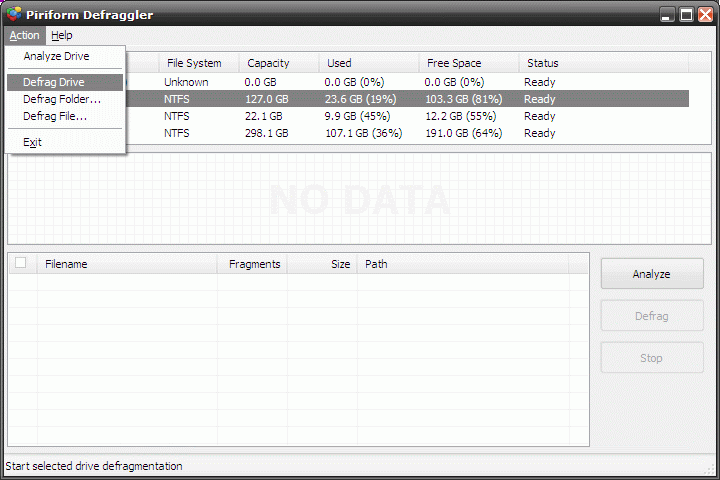
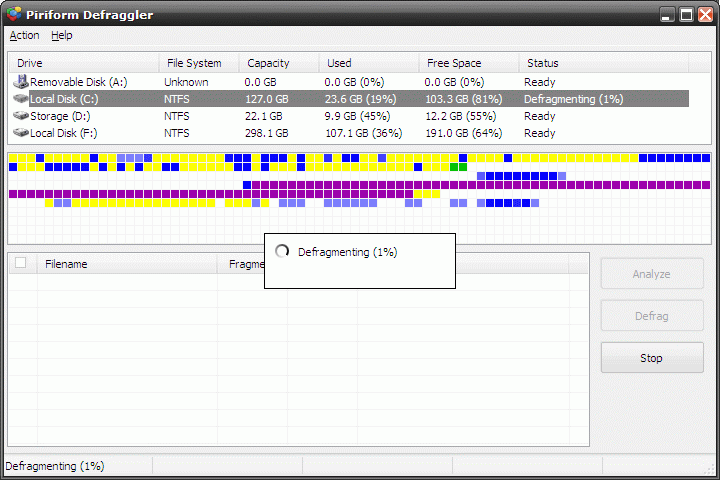
Select your hard drive (usually called "Local Disk (C:)") and then go up to Action -> Defrag Drive. Confirm you want to defragment your hard drive.
-
After it's complete, close Defraggler. You'll want to defragment your hard drive monthly.
|
